将已有的 Git 仓库导入 GitHub
Published 2021-04-09Updated 2026-02-24
Translations:English
tutorialgitgithubece297
背景
本指南适用于将学校服务器上创建和存储的 Git 仓库导入 GitHub。
步骤
- 在 GitHub 上创建一个新的(私有)仓库。GitHub 会给你一个如下格式的链接:
https://github.com/userName/ece297example.git
- 进入你已有的 Git 仓库,将 GitHub 仓库添加为 "remote":
git remote add github https://github.com/userName/ece297example.git
- 推送到 GitHub 仓库:
git push github master
常见问题
Q:如果有人抄了我的代码就是学术违规。但 GitHub 仓库不小心创建成公开的了,代码已经上传了,怎么改成私有?
A:按以下步骤更改 GitHub 仓库的可见性:
- 在浏览器中打开 GitHub 仓库,进入 "Settings"

- 在 "Options" 下,滚动到页面底部,就能找到更改仓库可见性的选项。
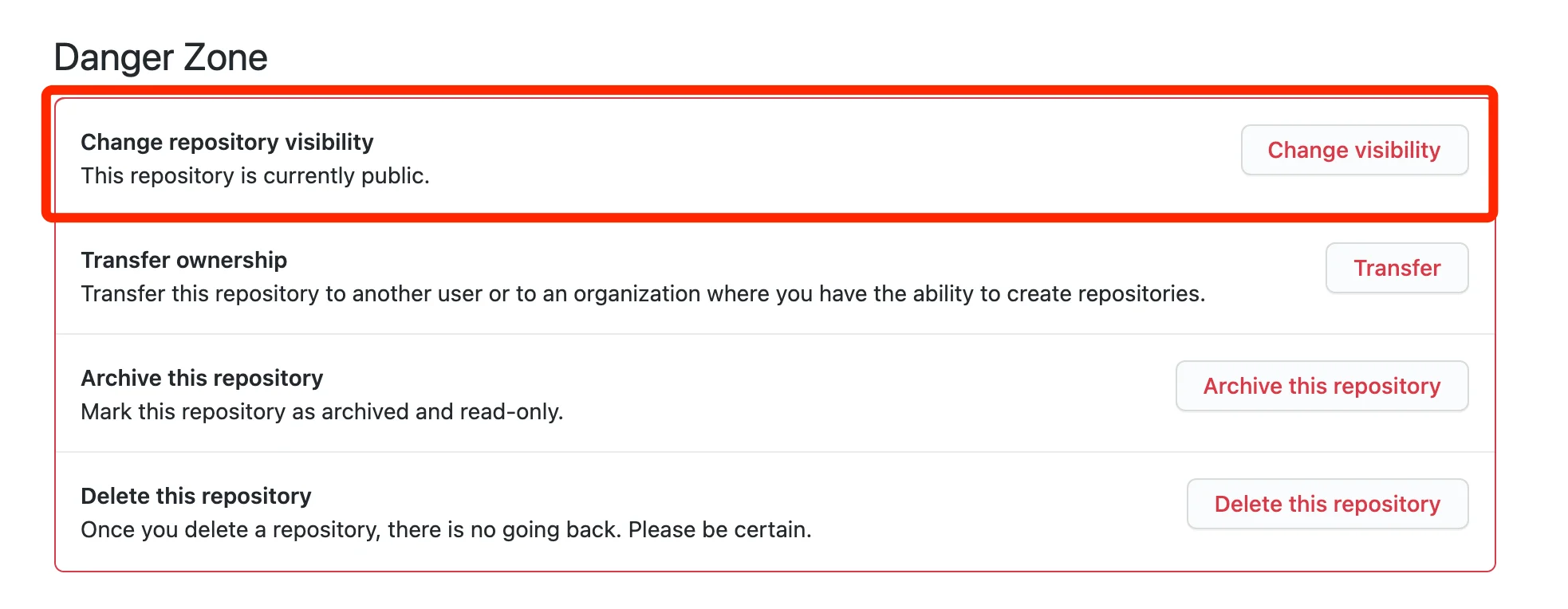
Q:推送到 GitHub 仓库时被拒绝了,因为 GitHub 不接受大于 100M 的单个文件。但该文件在某个 commit 中已经被删除了,怎么办?
A:一旦你把某个文件提交到 git 仓库,它就会 "永远" 存在于 git 历史中,这样即使你不小心删除了文件,仍然可以恢复。要从仓库中永久删除大于 100M 的文件,可以按以下步骤操作:
# 下载 BFG 工具到 ~/Downloads
wget https://repo1.maven.org/maven2/com/madgag/bfg/1.14.0/bfg-1.14.0.jar --directory-prefix=$HOME/Downloads

# 查看你的组号,将下面的 cd-000 替换掉
groups

# 克隆你的仓库,因为以下操作非常危险
cd ~
git clone --mirror ug251.eecg.utoronto.ca:/groups/ECE297S/cd-000/mapper_repo

# 使用 BFG 从裸仓库中删除大文件
java -jar ~/Downloads/bfg-1.14.0.jar --strip-blobs-bigger-than 100M mapper_repo.git

# 清理 git 仓库
cd mapper_repo.git
git reflog expire --expire=now --all && git gc --prune=now --aggressive

# 设置 "origin" remote 为 GitHub 地址并推送
git remote set-url origin https://github.com/userName/ece297example.git
git push